Style Frame
A style frame is a still image that establishes the intended look of an animation, including composition, typography, colour and artwork, before the full piece is animated.
A style frame shows how a key moment in an animation should look. It uses the intended visual treatment rather than leaving every choice as a rough box or placeholder. Designers also write the term as “styleframe”; a set of these images can form a design board.
School of Motion’s production guide describes developing storyboard thumbnails into style frames, with a few variations used to explore the visual direction.
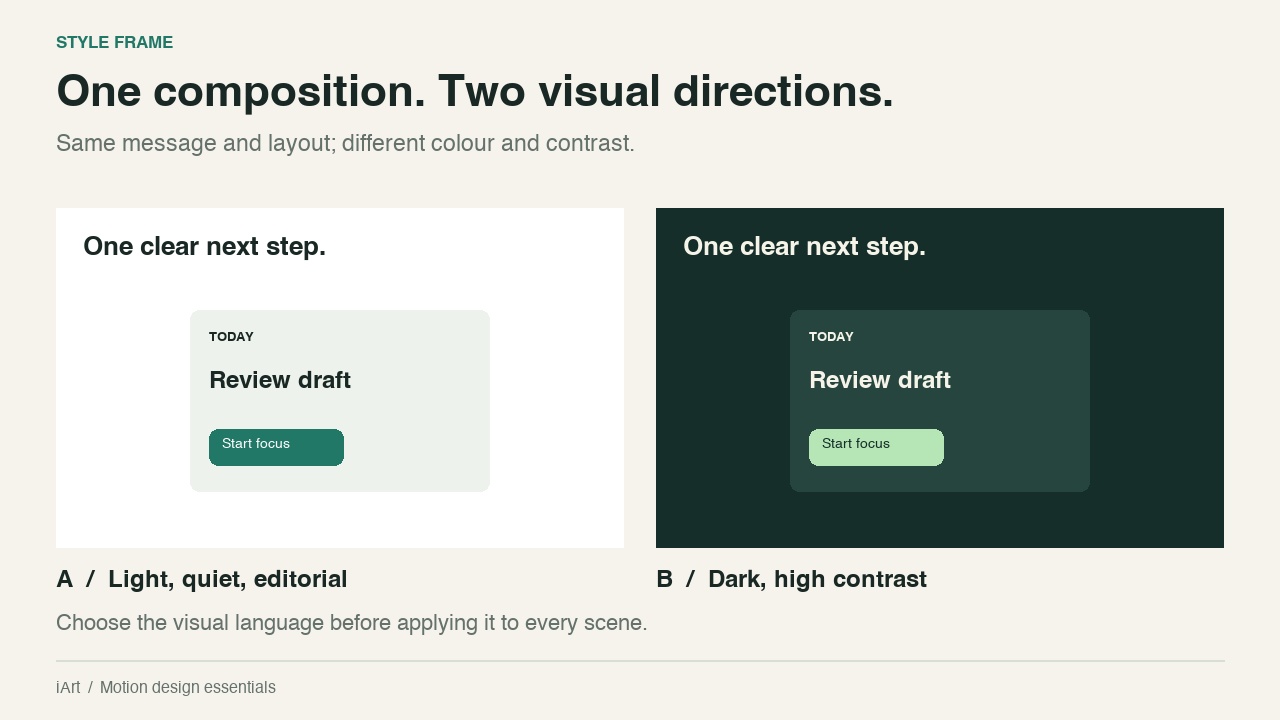
What does a style frame decide?
- Hierarchy: which text or object the viewer should notice first.
- Typography: typeface, weight, size, spacing and how long labels fit.
- Colour and contrast: backgrounds, accents and readable combinations.
- Artwork: the treatment of shapes, illustrations, images and interface elements.
- Depth and finish: whether the scene uses flat shapes, shadows, texture or dimensional layers.
In the example, the message and layout stay the same while the palette changes. Keeping those elements fixed makes the visual choice easier to judge. A different layout and different copy in each option would mix several decisions together.
How to create a useful style frame
- Choose a representative moment. Pick a scene with the kinds of text, imagery and hierarchy the animation actually needs.
- Design at the delivery aspect ratio. Use real labels and approved assets where possible; placeholder copy can conceal spacing problems.
- Resolve the important visual choices. Make the key frame specific enough that another person could carry its visual rules into the next scene.
- Check a contrasting scene. A look that works for a short headline may not work for a diagram or dense interface.
A style frame cannot prove that motion or pacing works. For example, shadows can look convincing in one still but slide incorrectly when an object moves. Check those decisions in an animation test.
Style frame vs. moodboard and storyboard
A moodboard collects references for a direction. A style frame applies that direction to your own scene. A storyboard explains the sequence; an animatic checks its timing.
Using a style frame with iArt
State the visual rules you want to preserve: background, accent colour, type hierarchy, card shape and amount of depth. Then describe the movement separately. Review both the opening composition and the moving result rather than assuming a matching first frame guarantees a matching animation. See Claude motion graphics examples for worked creative instructions.
Related: motion design brief, motion graphics.