Hera Alternative for Motion Graphics: Hera vs iArt Tested

Hera vs iArt: the short version
Hera is now an AI creative canvas. Its site describes "the AI-native creative canvas": you generate images, design and animate on one board, direct several AI agents at once, and every result arrives as editable layers (hera.video, checked November 2026). Motion graphics are one part of that canvas, alongside image generation and layout work.
iArt is a motion graphics video agent. You describe the video: the words, brand colors, pacing and voice. The agent writes and renders the finished film scene by scene, with AI voice-over and background music in the same workflow. You change it by replying in the chat, not by moving layers.
So the choice is mostly about what you want to hold at the end. If you want layers you can keep designing, Hera fits. If you want a finished video with sound that you can post or hand to a client, iArt fits. When we ran the same 15-second promo brief through both tools in August 2026 (part of our 8-tool test), both got the type and colors right; they differed in what the free plan let us take away.
Hera vs iArt at a glance
| Hera | iArt | |
|---|---|---|
| What it is | AI creative canvas: images, design and motion on one board | Motion graphics agent that renders finished videos |
| How you edit | Editable layers, plus prompts to agents | Reply in chat; the agent re-renders the scene |
| Starting point | A prompt, a reference or one of its templates | A text brief, optionally with images or a brand kit |
| Voice-over / music | Music was a separate step behind the upgrade wall in our test | AI voice-over and a music library built in; cloned voices on paid plans |
| Export formats | MP4, GIF, transparent MOV (per Hera's site) | MP4 (1080p on Pro, 4K on Ultra and Max); transparent WebM for overlays |
| Our same-brief test | Strong type and palette; 720p MP4 with a Hera watermark | Finished 15.0-second promo on the free credit |
| Free plan | About one watermarked 720p video in our test; limits not shown | $2 credit to generate and share videos by link; MP4 download needs a paid plan |
| Pricing | Not listed on its site; in-app in August 2026: Pro $24/mo and Mega $60/mo, billed yearly | Free / Pro $20 / Ultra $50 / Max $100 per month (pricing) |
Hera's positioning and export formats are from its homepage and product page, checked November 2026. Hera's site doesn't publish prices, so the plan prices above are what its app showed us in August 2026. iArt figures are from our pricing page.
What Hera is built for
Hera started as a chat-driven "AI motion designer" (it was in Y Combinator's Summer 2025 batch) and has since grown into a broader canvas. Its homepage now leads with three ideas: images, design and motion on one board; several agents working at once; and editable layers "like any design file". It also offers 100+ templates for launches, explainers, infographics and overlays, says exports include MP4, GIF and transparent MOV, and offers an API and MCP server so developers and AI agents can generate animations directly.
In our August 2026 test, the free plan generated our full brief in about 2 minutes, and the taste was strong: accurate text, our exact navy and orange, confident type layout, and even sensible extra copy such as "Roasted to perfection".
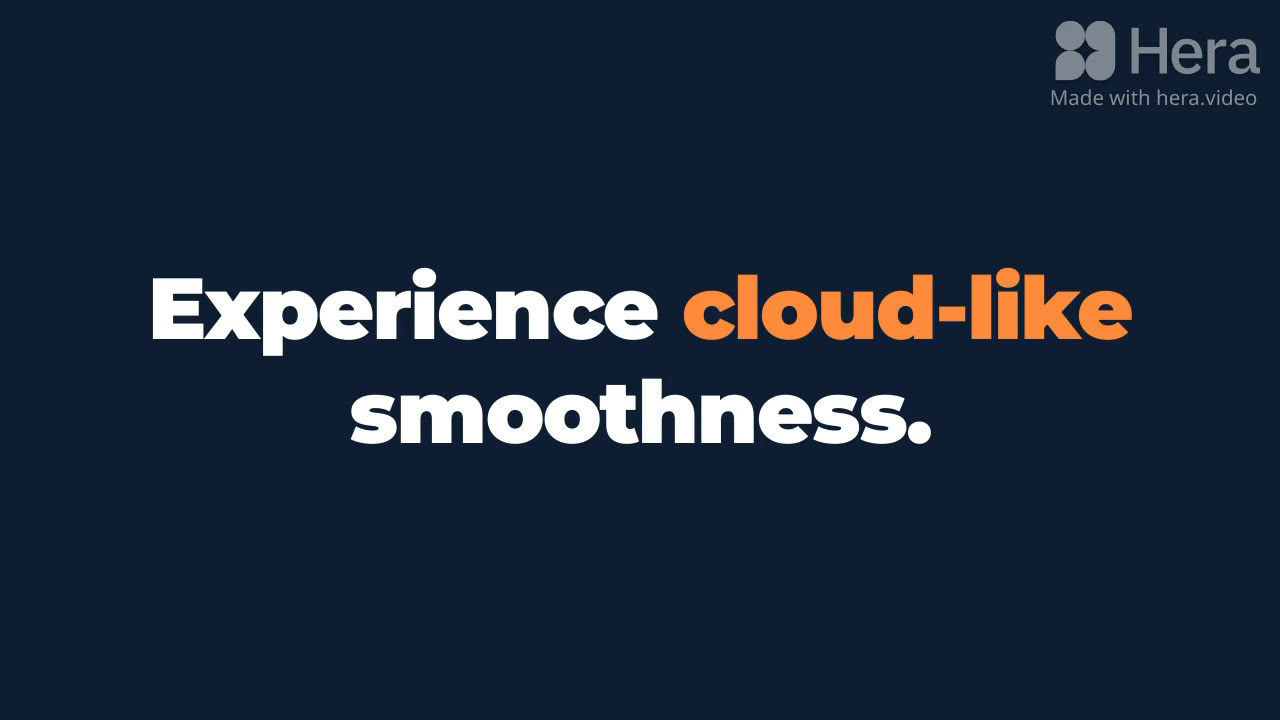
A frame from Hera's result for our brief (August 2026): on-palette, accurate type, with the free-plan watermark.
The rough edges were around the output rather than in it. The interface gave no progress or status feedback, so the export took about 6 minutes of guessing. The editor timeline showed 12 seconds against our 15-second brief, although the exported file was 15 seconds. Music was a separate step that hit the free limit straight away. Hera has rebuilt its motion tool since then (its own video library includes "AI motion tool is back after 4 months"), so these specifics may have changed.
Where Hera wins: you get layers you can keep editing, still images and layouts sit next to the motion work, and it has a large template library. iArt has no layer editor, no image-generation canvas and no template gallery to start from.
Where iArt fits
iArt is for people who need the video itself: a promo, an explainer, a logo reveal, a lower third for a stream. You write what you need, and the agent designs and renders it. Text is drawn as real type, colors follow the hex codes you give, and narration and background music come in the same pass. You can export a transparent WebM when the animation has to sit over other footage, as with lower thirds.
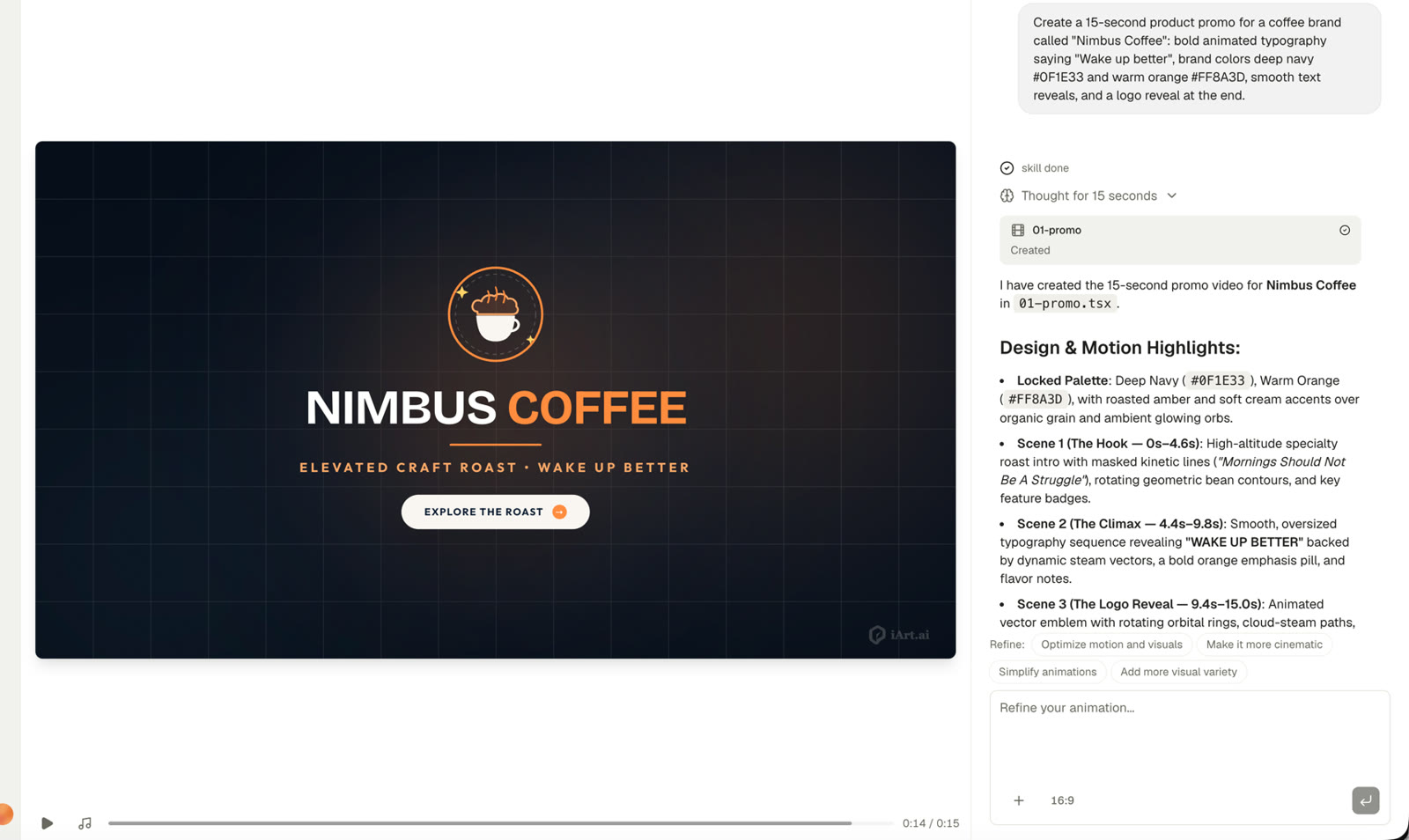
The same brief in iArt (August 2026): exactly 15.0 seconds, the navy and orange palette, a cup-and-steam logo mark, and three scenes the agent explained as it built them, on the $2 free credit.
You edit by replying ("slower reveal", "make the logo bigger", "move the price to the end") and the agent re-renders the scene. That suits founders, marketers and freelancers who have a video due. It suits designers less if they want to keep adjusting layers by hand.
Have a video brief? See what comes back in a few minutes.
Describe the video, from the copy and brand colors to the voice-over, and get a finished film. Free to start, no card.
Try iArt Free →Which should you use?
Choose Hera if you want an AI design canvas where images, layouts and motion live together, and you want editable layers you can keep refining or a template to start from.
Choose iArt if you want a finished motion graphics video, with narration and music, from a written brief, and you would rather iterate by describing changes than by editing layers.
Use both if your design team builds brand assets on a canvas while marketing needs a steady run of promos, explainers and social videos. For the wider field, see our 8-tool same-brief test, or Jitter vs iArt for another editor-versus-agent comparison.
FAQ
What is the best Hera alternative for motion graphics videos?
It depends on why you use Hera. If you need finished videos with voice-over and music from a written brief, iArt is built for that. If you want a design canvas with editable layers, an editor such as Jitter is closer to how Hera works.
What's the difference between Hera and iArt?
Hera is an AI creative canvas: you generate images, design and animate on one board, and results come back as editable layers. iArt is a motion graphics agent: you describe the video and it renders the finished film, including narration and music. You edit iArt by chatting, not by moving layers.
Does iArt have editable layers or templates like Hera?
No. iArt has no layer editor and no template gallery to start from. You start from a written brief and change the result by telling the agent what to adjust; it re-renders the affected scene.
Can Hera add voice-over and music?
In our August 2026 test, music was not part of generation: it was a separate step that hit the free plan's limit. Hera's site doesn't describe narration. iArt includes AI voice-over and a music library on every plan, with cloned voices on paid plans.
How much do Hera and iArt cost?
Hera's site doesn't list prices. In August 2026 its app showed Pro at $24/month and Mega at $60/month, billed yearly, plus a free plan that gave us about one watermarked 720p video. iArt is free to start with a $2 credit for generating and sharing videos by link. Pro is $20/month (1080p MP4 export), Ultra $50/month (4K) and Max $100/month (4K).