Jitter vs iArt: Editor or Agent for Motion Graphics?

Jitter vs iArt: the short version
Jitter is a motion design editor. You (or your designer) animate on a timeline — layers, keyframe-style controls, Figma import — and since 2026 its AI features can generate effects and rough scenes to speed that work up. The craft stays in your hands, and so does the workload.
iArt is a motion graphics agent. You describe the video — copy, brand colors, pacing, logo reveal — and it composes and renders the finished piece, scene by scene. You refine by talking to it, not by dragging keyframes.
Same category, opposite philosophies: Jitter makes designers faster; iArt removes the designer workflow entirely. Which one is right depends on whether you want to make the animation or get the animation. When we ran the same 15-second promo brief through both (part of our 8-tool test), Jitter's AI produced a static title card a designer would then animate; iArt returned the finished video in under a minute.
Jitter vs iArt at a glance
| Jitter | iArt | |
|---|---|---|
| What you do | Animate on a timeline (AI assists) | Describe the video in text |
| What you get | A design file you keep refining | A finished, rendered video |
| Skill needed | Motion design fundamentals | Writing a clear brief |
| Figma import | Yes — its signature strength | No (images and brand kits instead) |
| Voice-over / music | No — visuals only | Built in (TTS, cloned voices on paid, BGM) |
| Our same-brief test | Flat title card in ~2 min, placeholder logo | Finished 15s promo in under a minute |
| Free tier | Watermarked editor, monthly AI quota | $2 credit — generates and shares full videos |
| Pricing | From ~$16/mo | Free / Pro $20 / Ultra $50 |
Jitter plan details from Jitter's pricing page (verified August 2026). iArt pricing on our pricing page.
What Jitter is built for
Jitter's home turf is the designer who wants motion control without After Effects. The editor feels like Figma with a timeline: you import your Figma frames, arrange layers, and animate with presets and easing controls that are dramatically friendlier than AE's graph editor. Teams use it for UI walkthroughs, social assets, and brand animations where a designer wants to own every frame.
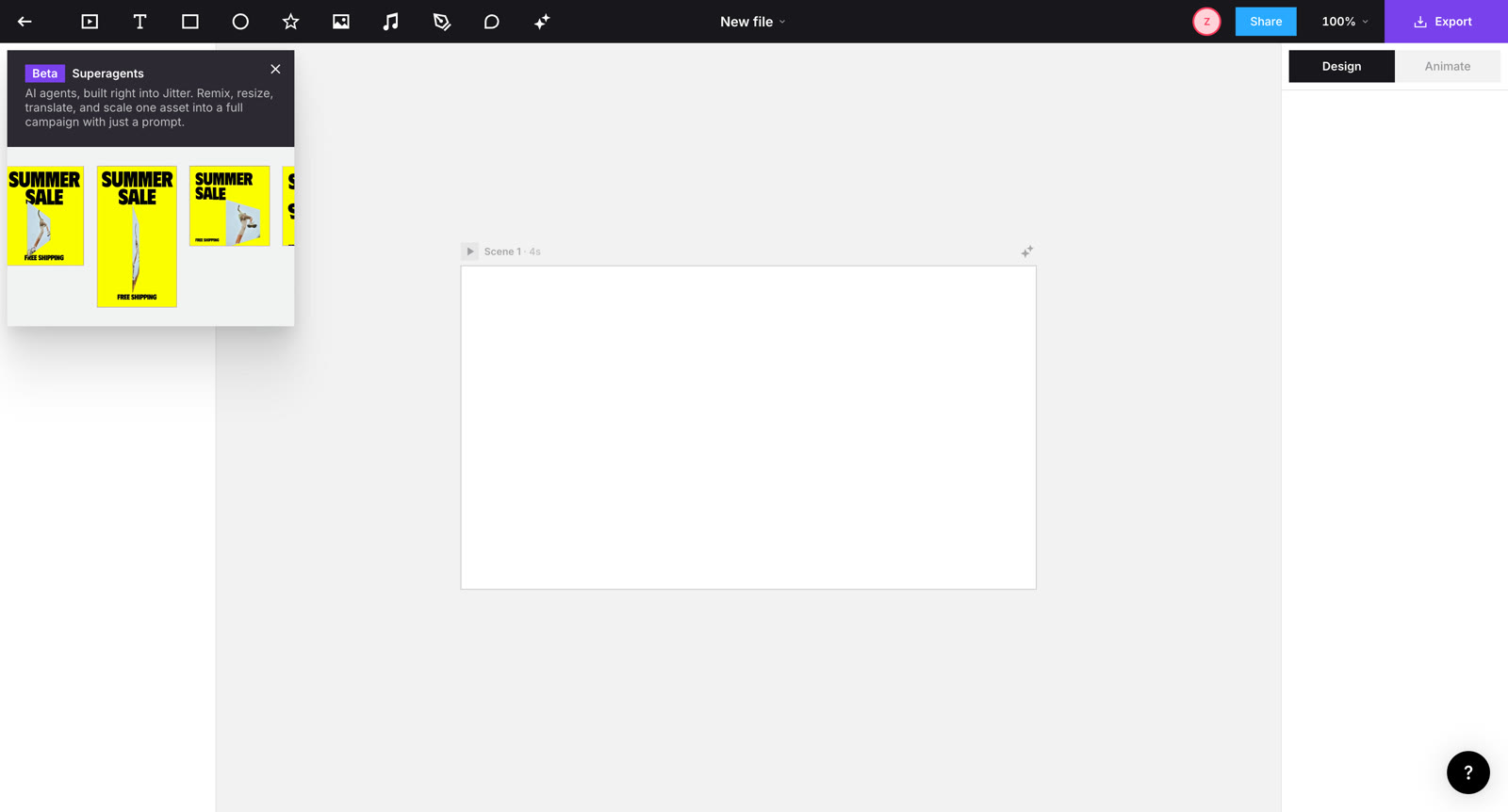
Jitter's editor: a Figma-style canvas plus timeline. Its 2026 AI push (Jitter AI, Superagents) accelerates this workflow rather than replacing it.
The 2026 AI features are real but assistive: in our test, the AI assistant accepted a full promo brief and worked for about 2 minutes (11 steps, 31 edits) — but what came out was a static, on-palette title card with a placeholder circle for a logo. That's a useful starting point if a designer picks it up from there. It is not a finished video, and Jitter doesn't do audio at all.
Where Jitter genuinely wins: pixel-level manual control, Figma-native workflows, and design-team collaboration. If your team lives in Figma and wants to hand-craft motion, it's the better tool — and honest disclosure: iArt doesn't offer a manual timeline or Figma import at all.
Where iArt fits
iArt starts from the opposite premise: most people who need a promo, explainer, or logo reveal don't want to animate — they want the animation. You write what you need ("15-second promo, bold typography saying 'Wake up better', navy #0F1E33 and orange #FF8A3D, logo reveal at the end"), and the agent designs and renders the finished piece: typography as real vector type, exact brand colors, voice-over and music in the same pass.
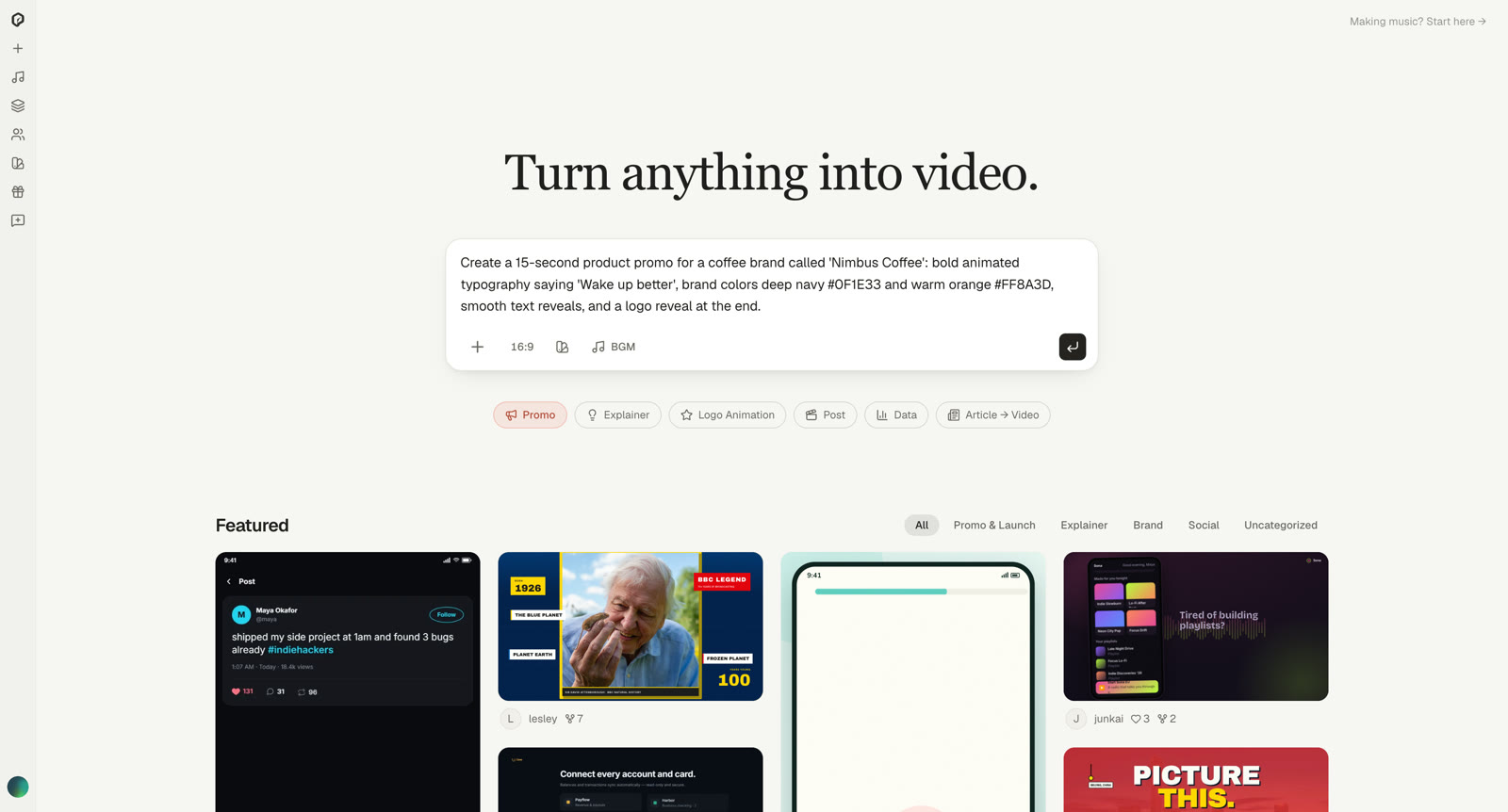
iArt's whole interface is the brief: describe the video, pick an aspect ratio, attach your brand kit — the agent does the rest.
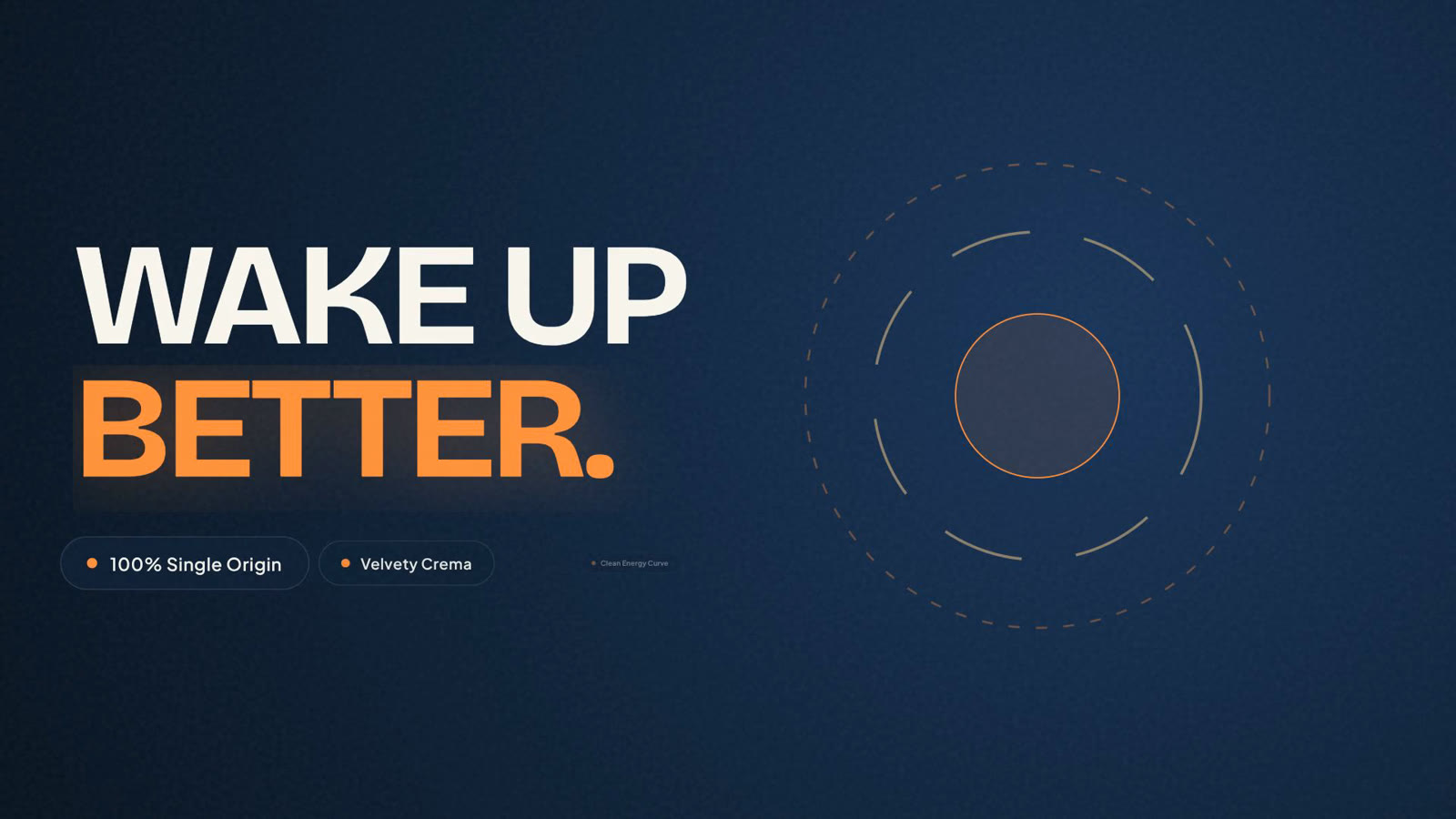
The same 15-second brief that produced a title card in Jitter came back from iArt as a finished, structured promo — scene design, logo emblem, and copy included — in under a minute, for $0.07 of the free credit.
You edit by replying — "slower reveal", "make the logo bigger", "swap the accent to teal" — instead of reopening a timeline. For the people iArt is built for (founders, marketers, freelancers with a deliverable due), that's the entire point.
Have a video brief? See what comes back in a minute.
Describe the video — copy, brand colors, pacing — and get a finished piece with audio. Free to start, no card.
Try iArt Free →Which should you use?
Choose Jitter if you're a designer (or have one), your assets live in Figma, and you want manual control over every curve and keyframe — with AI as an accelerator.
Choose iArt if you want a finished video from a description — typography, brand colors, audio and all — and you'd rather iterate by talking than by editing a timeline.
Use both if your team splits between design-crafted brand pieces (Jitter) and volume content like promos, explainers, and social videos (iArt). They don't actually compete for the same hour of your day. For the broader landscape, see our 8-tool same-brief test or the After Effects alternative workflow.
FAQ
What's the difference between Jitter and iArt?
Jitter is a browser-based motion design editor — you animate on a timeline, with AI features that assist the design work. iArt is a prompt-to-video agent — you describe the video and it generates the finished piece, including audio. Editor versus agent is the whole difference.
Is iArt a good Jitter alternative?
If you're using Jitter because After Effects was too much work, iArt removes the remaining work: no timeline, no keyframes, no design skills needed. If you're using Jitter because you want manual design control or Figma import, iArt isn't a replacement — it's a different workflow.
Does iArt have a timeline editor like Jitter?
No. iArt edits happen conversationally — you tell the agent what to change and it re-renders the affected scene. There's no manual keyframe timeline, by design.
Can Jitter generate a finished video from a text prompt?
Not in our testing (August 2026). Jitter's AI and Superagents generate scenes and effects inside the editor — our full promo brief produced a static title card with a placeholder logo, which a designer would then animate. There's also no voice-over or music.
How much do Jitter and iArt cost?
Jitter has a free watermarked tier and paid plans from about $16/month (pricing, verified August 2026). iArt is free to start with a $2 credit that generates and shares full videos; Pro is $20/month (1080p export) and Ultra $50/month (4K).