8 Best AI Motion Graphics Tools in 2026 (We Tested Them)

The AI motion graphics landscape split into three camps in 2026: prompt-to-video agents that generate finished animations from a text brief, AI-assisted editors that speed up a traditional timeline, and generalist design suites bolting on AI video. Diffusion video models (Runway, Sora, Veo) sit in a fourth camp — stunning footage, but on-screen text and exact brand control remain their weak spot.
How we tested
In August 2026 we created free accounts and ran the same brief through each tool:
"Create a 15-second product promo for a coffee brand called 'Nimbus Coffee': bold animated typography saying 'Wake up better', brand colors deep navy #0F1E33 and warm orange #FF8A3D, smooth text reveals, and a logo reveal at the end."
Everything below is first-hand: our own accounts, our own screenshots, this week. One tool (Agent Opus) rejects proxied connections at sign-up — rather than review it secondhand, we've left it out until we can test it properly.
1. iArt.ai — the only tool that finished our brief free
What it does: Describe the video — words, colors, mood, timing — and iArt's agent composes the animation scene by scene: kinetic typography, logo reveals, animated charts, title sequences, explainer scenes. Text is rendered as real vector type (never garbled), data charts use your exact numbers, and you iterate by talking to it ("slower reveal", "match #FF5A2A").
In our test: the agent delivered the full brief in under a minute — exactly 15.0 seconds, our navy/orange palette locked, a designed logo emblem (cup-and-steam mark), and a coherent three-scene structure it explained as it built. The generation drew $0.07 from the $2 free signup credit — at that rate, nearly thirty generations of free runway. No other tool in this list completed the brief on a free account. Hera came closest but paywalled its music step and shipped a watermark.
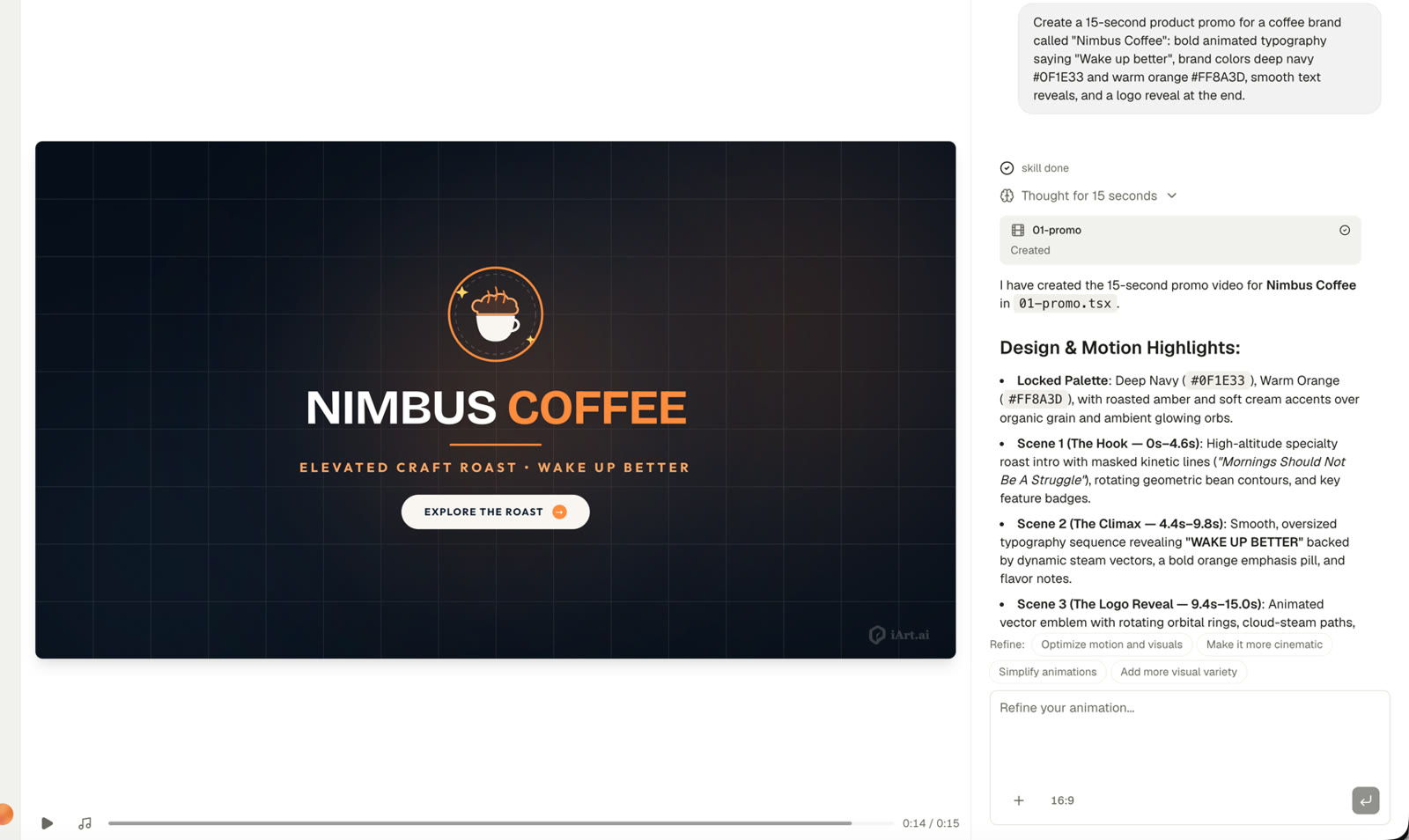
iArt's agent one minute after receiving the brief: the finished logo-reveal frame, plus the three-scene design breakdown it wrote while building. Cost: $0.07 of the $2 free credit.
Strengths: Broadcast-quality typography and layout out of the box; frame-accurate text and data; voice-over and BGM in the same workflow (voice cloning on paid plans); edits without regenerating the whole video.
Limitations: Not for character animation or VFX; exports MP4, plus a transparent WebM for overlays made in Animation mode (no ProRes, GIF or Lottie); MP4 download requires a paid plan (free tier generates and shares via link).
Pricing: Free to start ($2 credit, no card). Pro $20/mo (1080p), Ultra $50/mo (4K).
Run the Same Test Yourself
Describe your video, get a finished motion graphics piece in about a minute. Your first videos are on us — free $2 credit, no card required.
Try iArt Free →2. Motion — a capable agent with no free tier
What it does: Motion (motion.so) positions itself as an "AI agent for motion design": give it a URL or brief, it researches the brand, storyboards, and produces a launch video or product demo. Element-level editing plus an MCP/API for driving it from other tools.
In our test: a brand-new account starts with 0 credits — the agent worked on our brief for 1m12s (it was still designing a logo concept) and then paused at a "Buy Credits" wall before producing a single frame. There is no free generation.
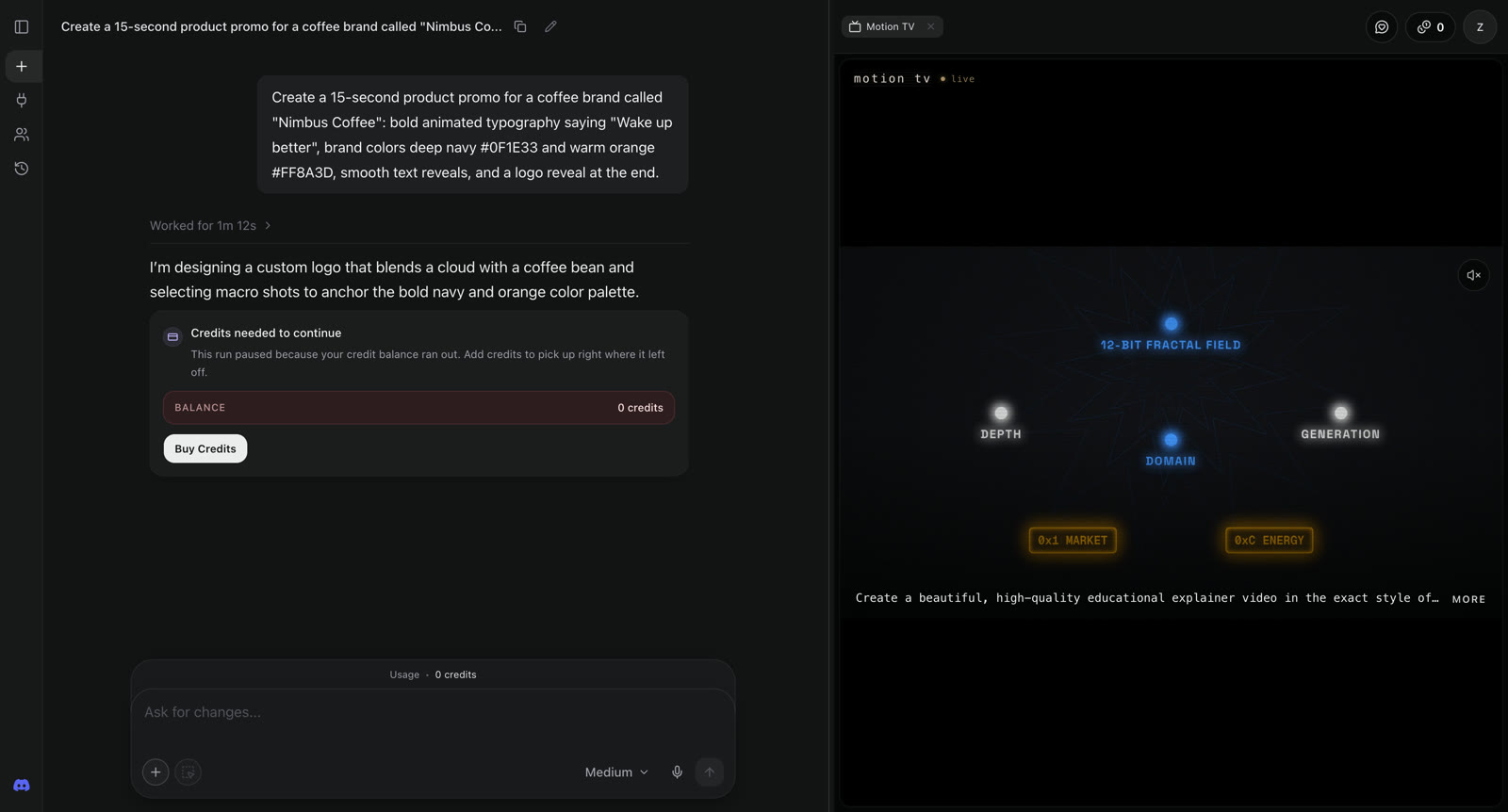
Motion's agent 72 seconds into our brief: paused at the paywall with 0 free credits, before producing a single frame.
Strengths: Strong end-to-end automation for launch content; developer-friendly API; slick brief-carrying signup flow.
Limitations: Nothing ships without paying; Pro covers roughly four 1-minute videos a month.
Pricing: Pro $29/mo, Max $99/mo (official site, verified Aug 2026).
3. Hera — striking output, rough edges, tight limits
What it does: Hera (YC S25) is a chat-driven "AI motion designer" with modes for text, image/video references, and SVG animation, plus per-prompt brand kits. A "Hera Studio" service will also make your video for you in 48 hours.
In our test: the free plan actually generated our brief — about 2 minutes to a finished cut, and the output taste was strong: accurate text, our exact navy/orange palette, confident type layout (it even wrote sensible extra lines like "Roasted to perfection"). The exported file came out at 15 seconds, 720p MP4 with a Hera watermark. But the experience around it was rough: no loading or progress states anywhere (clicks can sit 30 seconds with zero feedback; generation and export give no ETA — our export took ~6 minutes of guessing whether it was still running), the editor timeline showed 12s against our 15-second brief, and music isn't part of generation — it's a separate step that immediately hit the free limit and raised the upgrade wall. How much the free plan includes is never shown; in practice it was roughly one video.
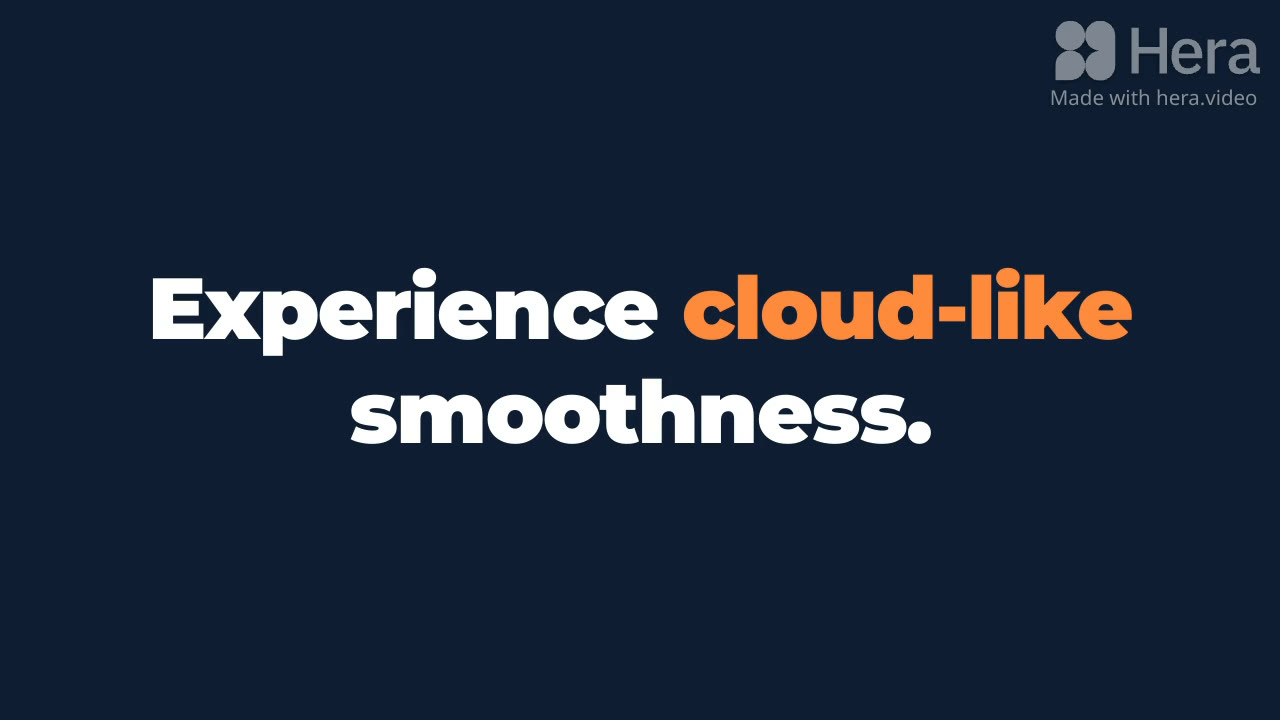
A frame from Hera's output: on-palette, accurate type — with the free-tier watermark. Music required a paid plan.
Strengths: Genuinely strong typography-led output; accurate text and brand colors; paid tier exports up to 4K with transparent background (WebM/MOV) — rare in this category.
Limitations: UX lacks progress/status feedback throughout; duration drifted from the brief; music is paywalled mid-flow; free limits are opaque.
Pricing: Free (~one watermarked 720p video in practice). Pro $24/mo billed yearly, Mega $60/mo billed yearly (in-app pricing, verified Aug 2026).
4. Jitter — an AI-assisted editor, not a video generator
What it does: A browser-based motion design editor in the Figma mold — you still animate on a timeline, but Jitter AI (May 2026) and Superagents (July 2026) can now generate effects and animate scenes from a prompt.
In our test: the free tier's AI assistant accepted the brief and built a 15-second artboard in about 2 minutes (11 steps, 31 changes). Brand colors were respected, but the output was a flat title card with a placeholder circle for the logo — a starting point a designer then animates, not a finished promo. Free AI usage is a monthly quota.
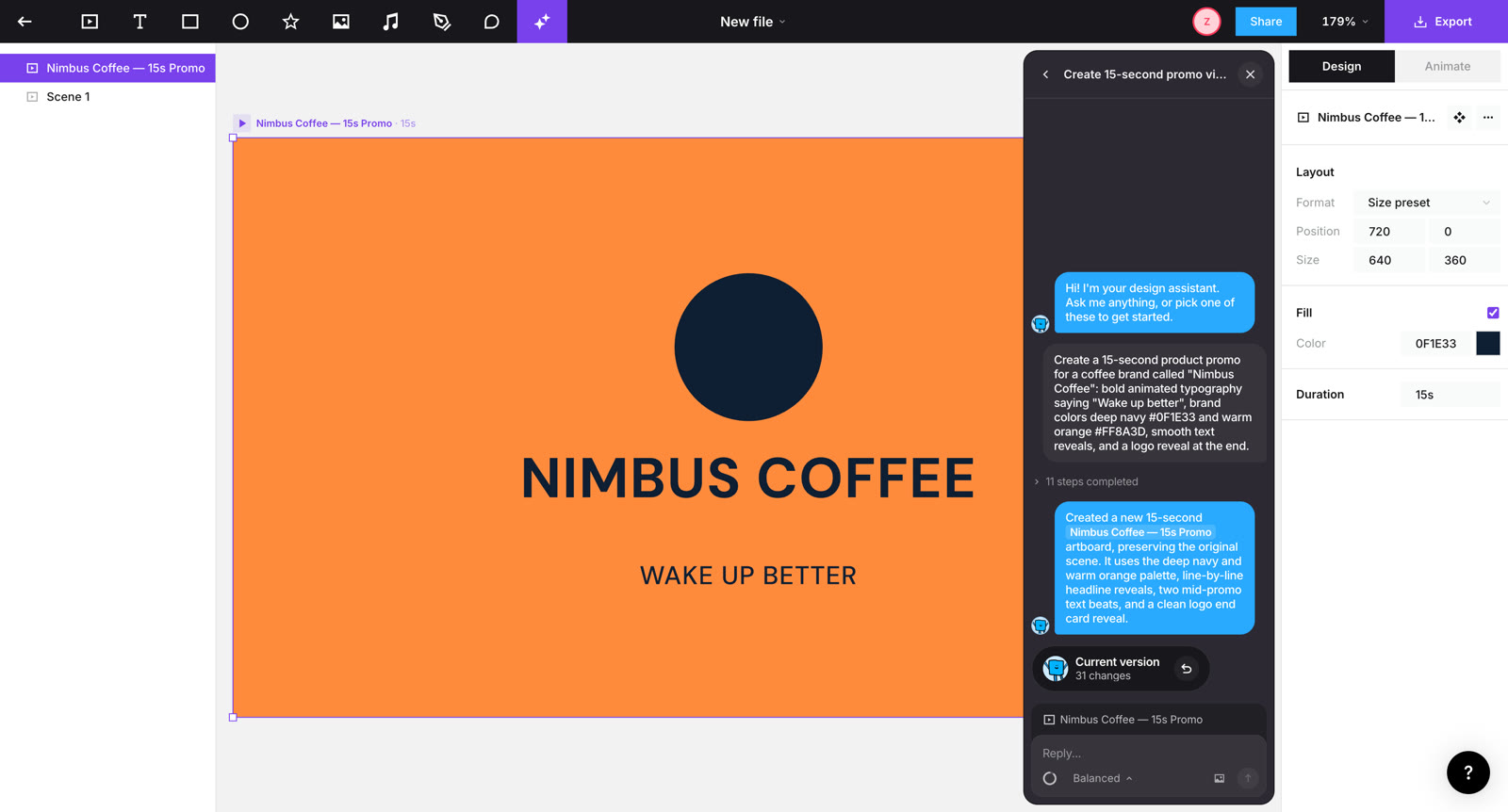
Jitter's AI after ~2 minutes: colors respected, but a flat card with a placeholder logo — a designer's starting point rather than a finished video.
Strengths: Real manual control; smooth Figma import; AI accelerates rather than replaces the workflow.
Limitations: It's still a design tool — expect real design work to get to finished quality; AI output from a pure prompt is basic.
Pricing: Free tier (watermarked); paid from ~$16/mo (pricing, verified Aug 2026).
5. Runway — accurate stills, motion behind a paywall
What it does: The leading creative AI video suite — generative footage, video-to-video restyling, an agent that plans and executes multi-step briefs. A different job from designed motion graphics — we include it because so many teams ask.
In our test: free accounts get 500 credits, but the agent's video generation is locked behind the Standard plan — for our brief it could only offer a still key frame. That still (via its image model) was genuinely impressive: "WAKE UP BETTER" and the logo rendered accurately in our exact palette. Which sharpens the real dividing line in 2026: top image models can now render type accurately in stills; video diffusion still can't hold it across frames — and a still isn't an editable animation.
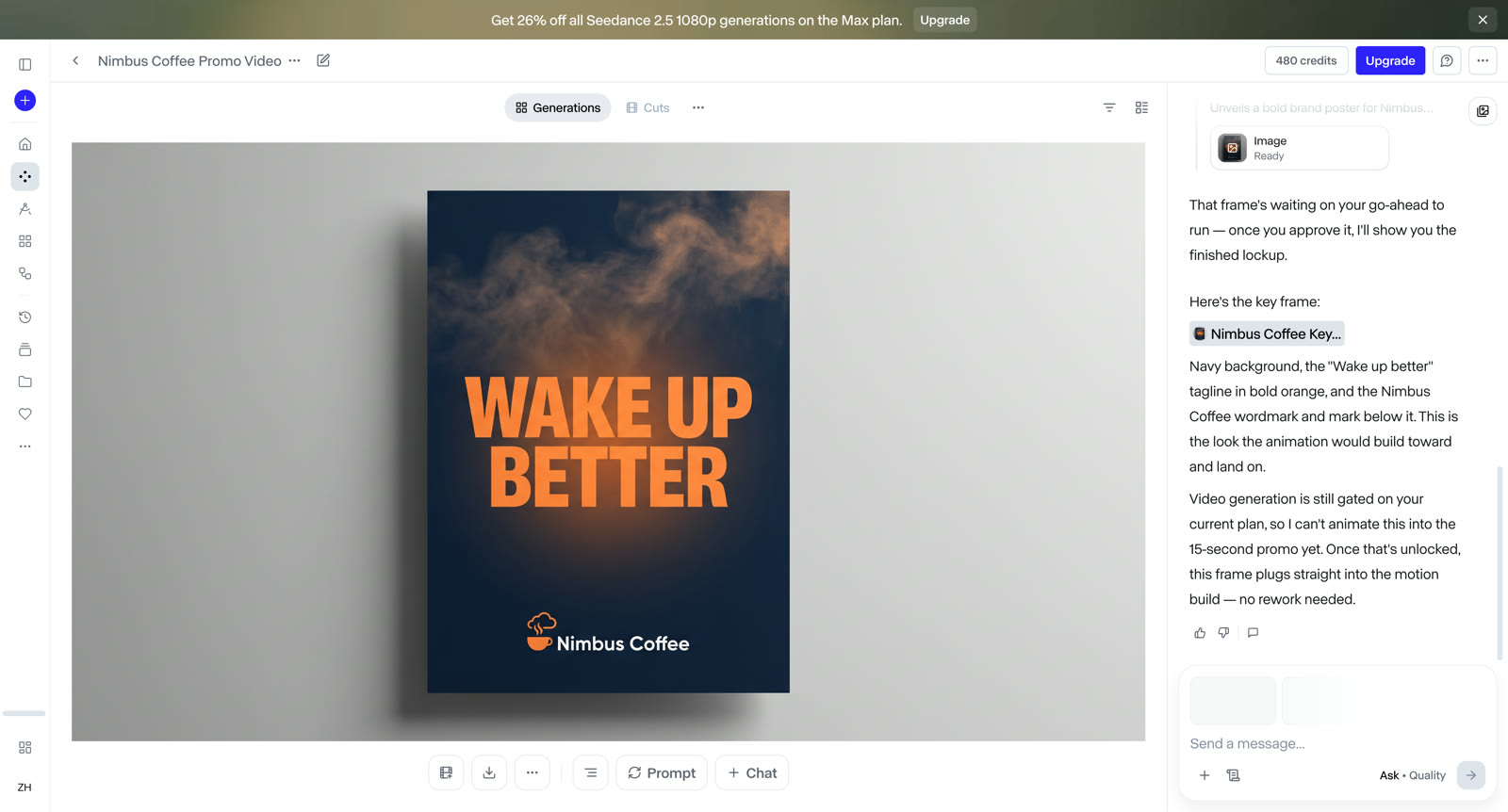
Runway's agent couldn't generate video on the free plan — but its still key frame nailed the type and palette. Accurate stills, locked motion.
Strengths: Unmatched generative visuals; fast-moving research features; agent with approval-gated spending.
Limitations: Free tier can't generate agent video; on-screen text in generated video remains unreliable; per-credit costs add up.
Pricing: Free 500 credits; Pro $28/mo billed yearly, $35 monthly (pricing, verified Aug 2026).
6. LottieLab — for UI animation, not video
What it does: Lottie-first animation editor. Its AI feature, Magic Animator (2.0 beta), is a Figma plugin that animates your existing designs — there is no text-to-video. Output is lightweight Lottie/JSON for product UIs and websites.
In our test: our promo brief doesn't apply — LottieLab is a (good) manual editor. The free Hobby plan includes Figma import and watermarked MP4/Lottie export.
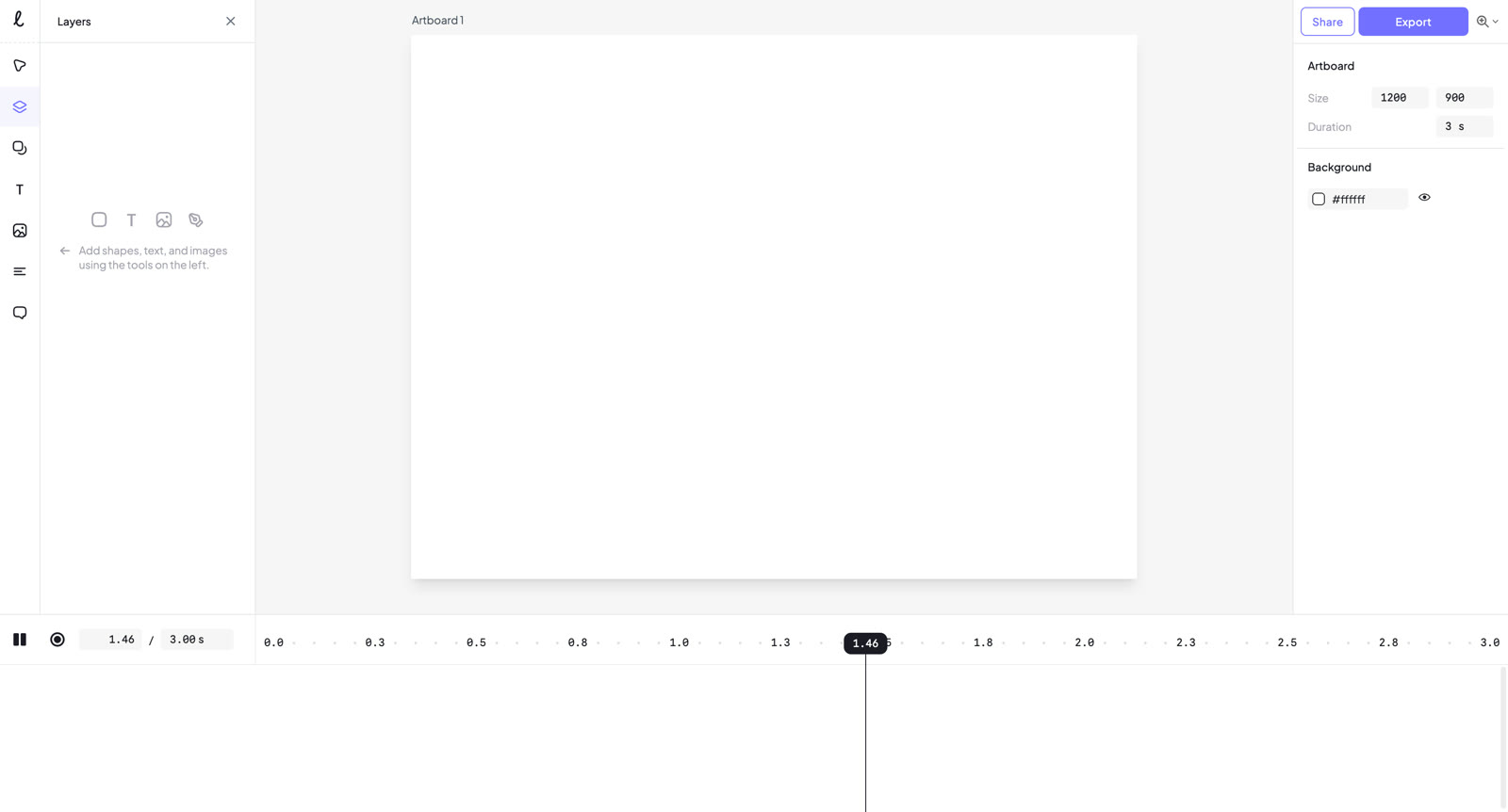
LottieLab is a capable manual editor for UI motion — its AI lives in a Figma plugin, and there's no text-to-video.
Strengths: The standard for interactive/UI motion; clean Figma handoff.
Limitations: Not built for video content — no narration, music, or long-form composition.
Pricing: Free tier; Pro from $12/editor/mo billed yearly (pricing, verified Aug 2026).
7. Canva — template motion for casual social posts
What it does: Magic Design animates templates, and Canva Pro embeds Google's Veo for short generated clips. Fine for social posts that need to move a little. (We've covered Canva's animation tools hands-on in our Canva vs iArt comparison.)
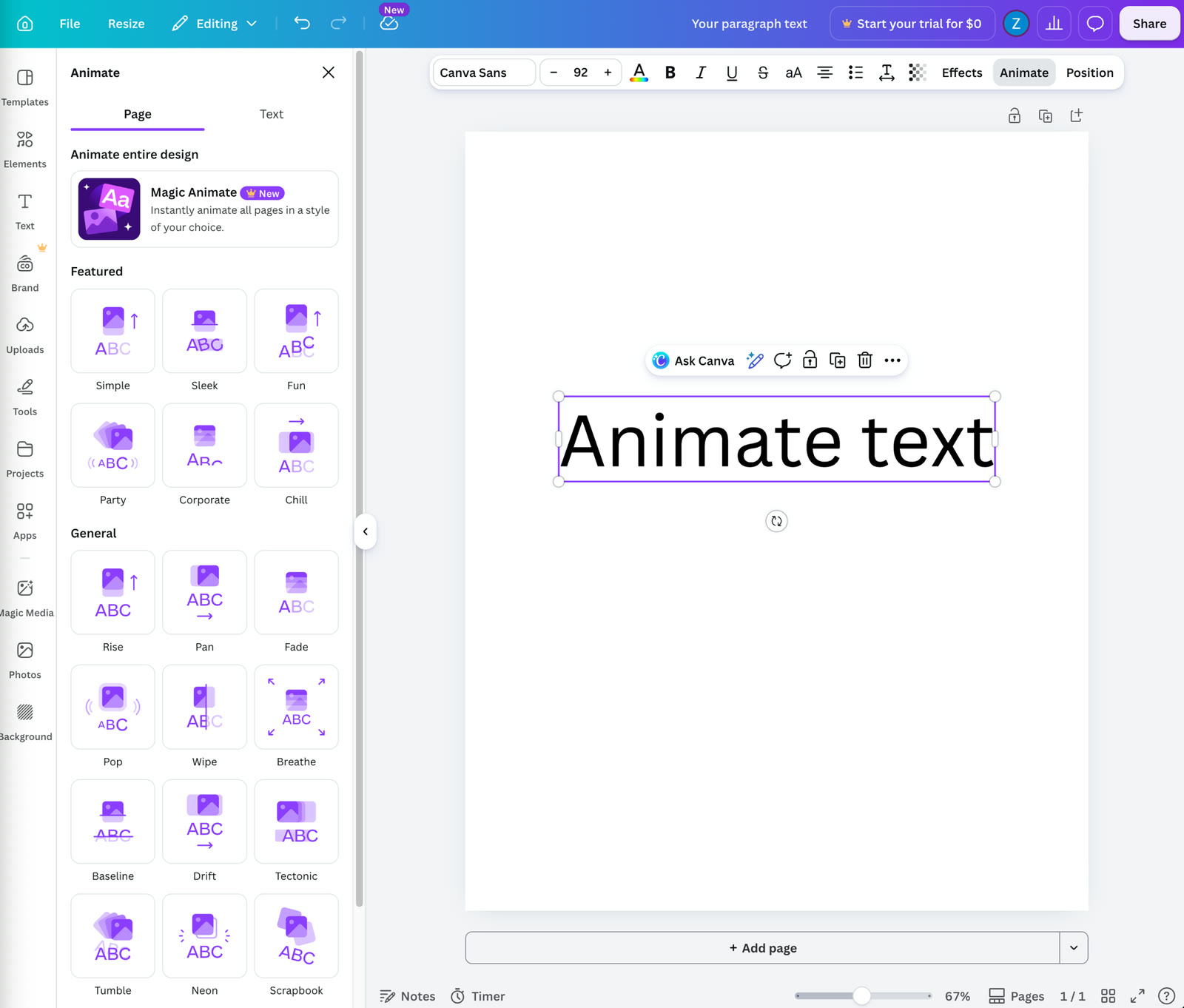
Canva's Magic Animate: template motion presets — quick, but every result moves like a template. (From our hands-on Canva comparison.)
Strengths: Zero learning curve; huge template library; cheap.
Limitations: Template motion looks like template motion; generated clips are capped at seconds; no real motion-design control.
Pricing: Free tier; Pro $12.99/mo (pricing, verified Aug 2026).
8. Adobe After Effects — the manual standard AI hasn't replaced
What it does: After Effects remains the professional standard, and Adobe's Firefly video models generate footage inside the Creative Cloud pipeline. (Our hands-on take on Adobe's animation workflow is in Adobe Animate vs iArt.)
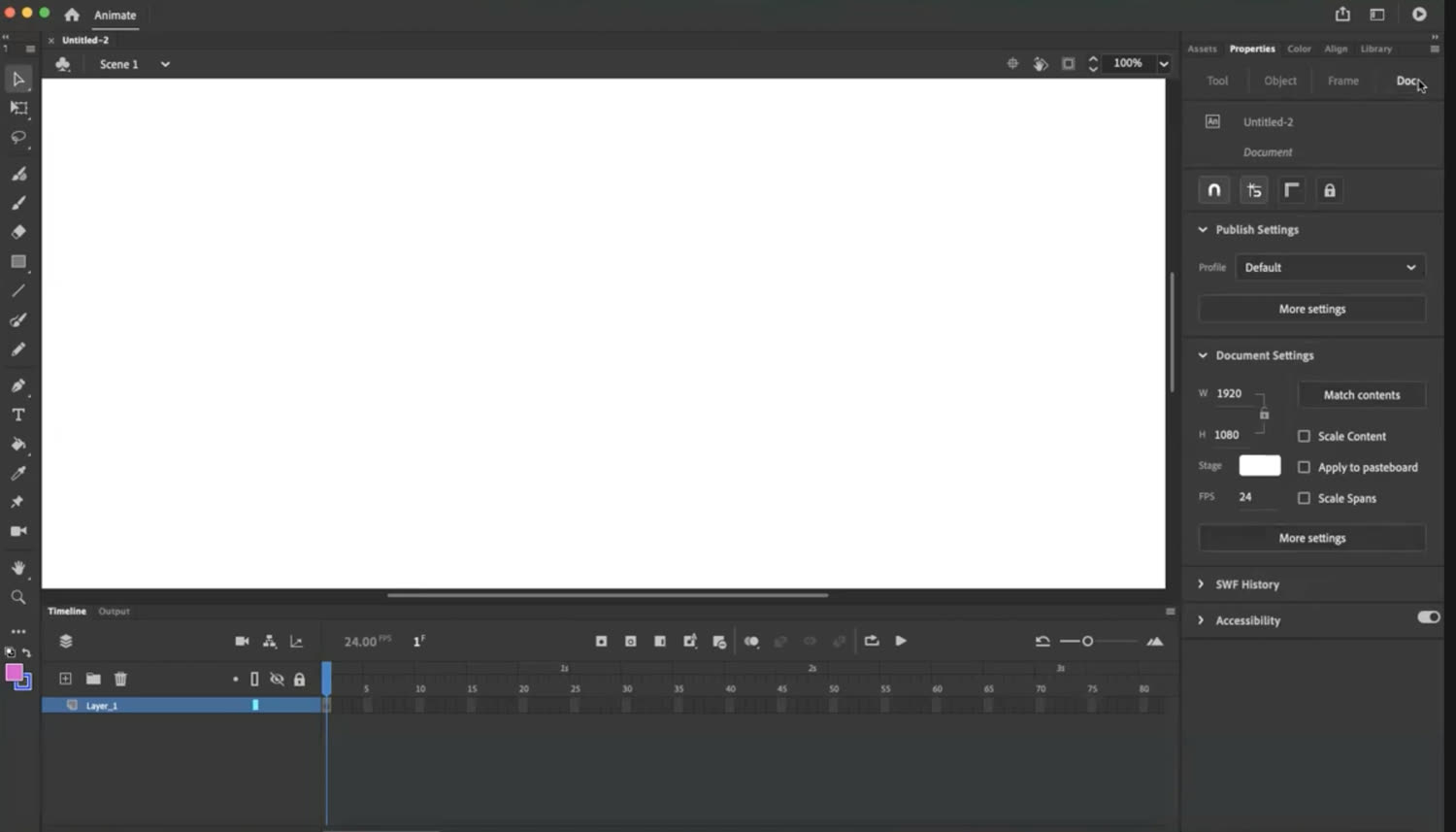
Adobe's timeline: total control, at the cost of the steepest learning curve in this list. (From our hands-on Adobe comparison.)
Strengths: Total control; industry-standard output including alpha/ProRes; plugin ecosystem.
Limitations: The learning curve is the product — hundreds of hours to client-ready proficiency; AI features assist a manual workflow.
Pricing: After Effects $22.99/mo (pricing, verified Aug 2026).
If the subscription is the dealbreaker: we also bench-tested the free After Effects alternatives hands-on.
Comparison table
| Tool | Camp | Our test (free account) | Starts at | Best for |
|---|---|---|---|---|
| iArt.ai | Prompt-to-video agent | ✅ Finished the 15s brief in under a minute, $0.07 of the $2 credit | Free / $20 | Finished motion graphics from a brief |
| Motion | Prompt-to-video agent | ❌ Paywall at 1m12s, 0 free credits | $29 | Brand launch videos |
| Hera | Prompt-to-video agent | ⚠️ On-brand 15s video + watermarked 720p export; music paywalled | Free (~1 video) / $24 | Typography-led promos |
| Jitter | AI-assisted editor | ⚠️ Basic title card in ~2 min | Free / ~$16 | Designers who want a timeline |
| Runway | Diffusion video suite | ❌ Agent video locked; accurate still only | Free credits / $28 | Generative footage & effects |
| LottieLab | AI-assisted editor | — No text-to-video (Figma plugin AI) | Free / $12 | UI & web animation |
| Canva | Design suite | Template animation (hands-on, prior review) | Free / $12.99 | Casual social animation |
| Adobe AE | Pro editor | Manual tool (hands-on, prior review) | $22.99 | Professional pipelines |
Which should you choose?
- You want a finished video from a description, without paying first — iArt was the only tool in our test where that actually happened. Hera produced one strong watermarked cut before its limits kicked in; Motion is worth a look if you're ready to pay from video one.
- You're a designer who wants AI to speed up a timeline — Jitter, LottieLab.
- You need generative footage or VFX — Runway, then bring it into a type-accurate tool for titles and data.
- You need broadcast alpha exports and total control — After Effects is still the answer.
FAQ
Can AI motion graphics tools render text accurately?
The agent/editor camp (iArt, Motion, Jitter, LottieLab) renders type as vectors, so text is always exact. In our testing, top image models (like the one behind Runway's stills) now render type accurately in single frames — but diffusion video still can't hold text stable across frames, and a still isn't an editable animation. That's the dividing line in 2026.
How much do AI motion graphics tools cost compared to outsourcing?
Agency motion graphics run $900–4,000 per finished minute (Advids) and freelance explainers average around $200–400 for 60 seconds (Fiverr). AI tools in this list range from free tiers to $20–99/month — typically 10–100× cheaper per video. Our own test promo cost $0.07 to generate.
Which AI motion graphics tools have a real free tier?
In our August 2026 test: iArt (the free $2 credit generated and shared our full test video — the brief used $0.07 of it), Hera (roughly one watermarked 720p video, music paywalled), Jitter (free monthly AI quota, editor output), Runway (500 credits, but agent video generation locked), LottieLab (free editor, watermarked export). Motion has no free generation, and Canva's free tier is template animation only.
What's the difference between AI motion graphics and AI video generation?
AI video generation (Sora, Veo, Runway) synthesizes photorealistic footage from a prompt. AI motion graphics tools compose designed animation — typography, logos, charts, layouts — where every element must be exact and editable. Different jobs; increasingly used together.
See What the Same Brief Looks Like in iArt
Type a description, get a finished motion graphics video — typography, brand colors, and logo reveal included. Free to start, no card required.
Try iArt Free →