Adobe Animate vs iArt: A Modern Alternative for Motion Graphics

Adobe Animate vs iArt: the short version
Adobe Animate and iArt both make things move, but they sit at opposite ends of the effort scale. Animate is a professional 2D animation studio — you draw, rig, and keyframe every asset to build vector characters, interactive content, and frame-by-frame animation. iArt is an AI motion graphics generator — you describe what you want in a sentence and it produces the animation for you. If your work is character animation or interactive HTML5, Animate (or a dedicated 2D tool) is the right home. If you need kinetic typography, an explainer, or animated titles without learning a timeline, that's where iArt comes in.
Adobe Animate vs iArt at a glance
| Adobe Animate | iArt | |
|---|---|---|
| Primary purpose | Professional 2D / vector / character animation studio | AI motion-graphics generator |
| How you create | Draw, rig, and keyframe every asset by hand on a timeline | Describe the animation in words; AI generates it |
| Best at | Frame-by-frame character animation, bone rigging, interactive content | Kinetic typography, explainers, animated titles, data motion |
| Learning curve | Steep — a professional tool with a deep feature set | Low — if you can describe it, you can make it |
| Character / 2D animation | Its core strength | Not supported — iArt does motion graphics, not character rigs |
| Interactive / HTML5 / WebGL | Yes (HTML5 Canvas, WebGL, AIR) | No — iArt outputs video |
| Output | Video, HTML5, sprite sheets, and more | MP4 (add music, voiceover, or your own footage) |
| Product status (2026) | Maintenance mode — no new features being added | Actively developed |
| Pricing | US$22.99/mo (single app, annual plan billed monthly); also in Creative Cloud | Free to start ($2 in credits on signup) |
Adobe Animate capabilities, pricing, and status from Adobe and Adobe's maintenance-mode FAQ (verified June 2026).
What Adobe Animate is built for
Animate is a serious professional tool, and for the right job nothing on this page replaces it:
- Hand-crafted 2D and character animation. Live brushes, frame-by-frame drawing, and a bone tool with inverse kinematics let you build characters that blink, talk, and walk — the kind of control a generator can't give you.
- Interactive and multi-platform output. Animate exports to HTML5 Canvas, WebGL, and AIR, and powers game sprites and interactive web content — not just flat video.
- Total, frame-level control. Every asset, easing curve, and keyframe is yours to shape. That precision is the whole point of the tool.
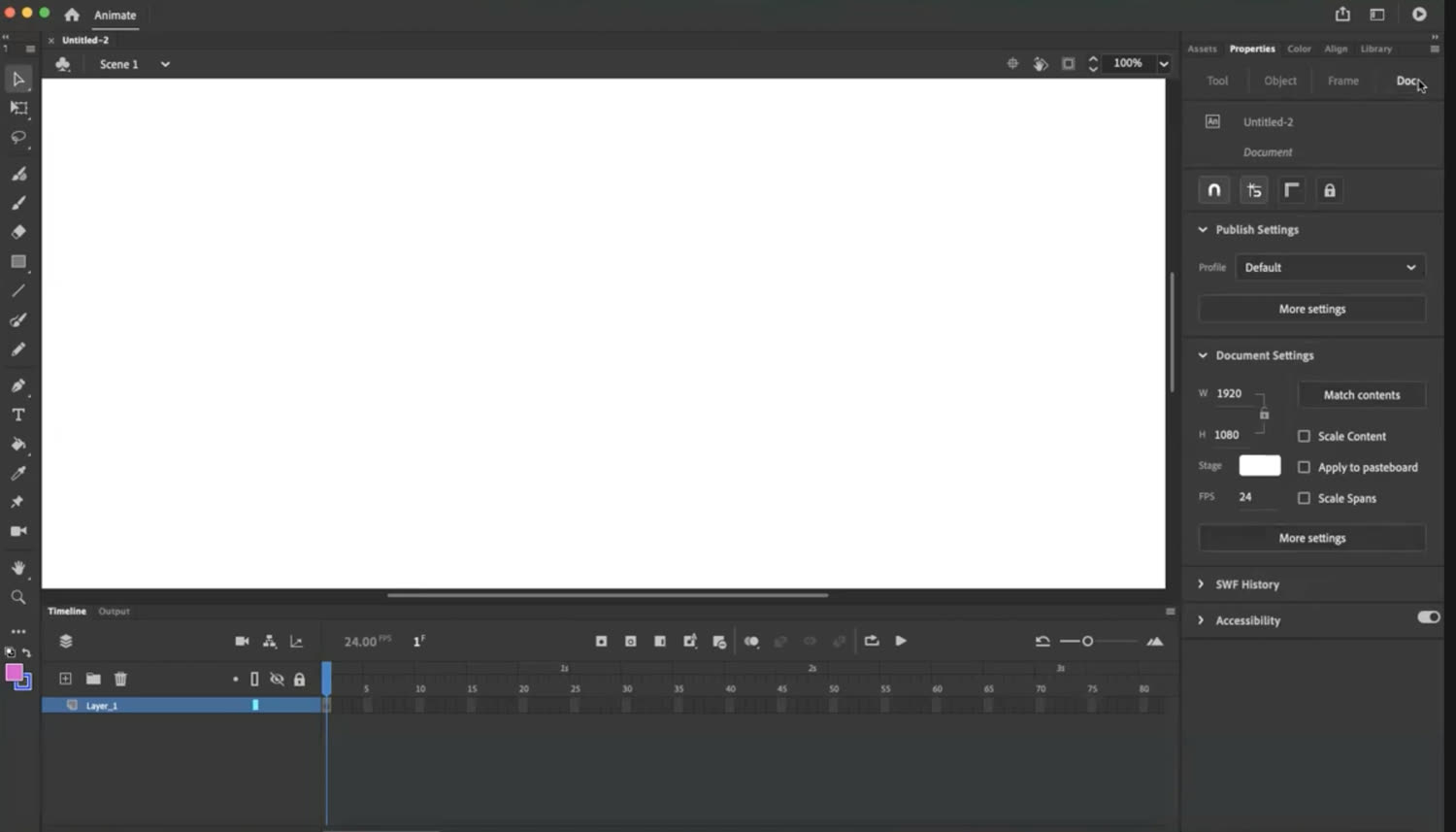
A fresh Adobe Animate document: a tool palette, a frame-based timeline, and a stack of panels — Properties, Library, Color, Align — to learn before you animate a single frame. Powerful and precise, but unmistakably a professional tool.
The trade-off is time and skill: that control is earned through a steep learning curve and hours of manual work per scene.
One thing to know: Animate is in maintenance mode
As of 2026, Adobe has placed Animate in maintenance mode — it still gets security and bug fixes and remains available to buy, but no new features are being added. (An earlier plan to end sales in March 2026 was walked back after community pushback, so there is no discontinuation date today.) For many teams, a tool that's no longer evolving is reason enough to look at what else is out there — especially for the motion-graphics work that doesn't need Animate's character-animation depth.
Where iArt fits
iArt doesn't try to be a 2D animation studio. It does one thing: turn a description into motion graphics. Where Animate asks you to build every frame, iArt asks you to describe the result — then an AI agent writes the actual animation code (real keyframe-style motion: timed transforms, springs, easing) and renders it to video.
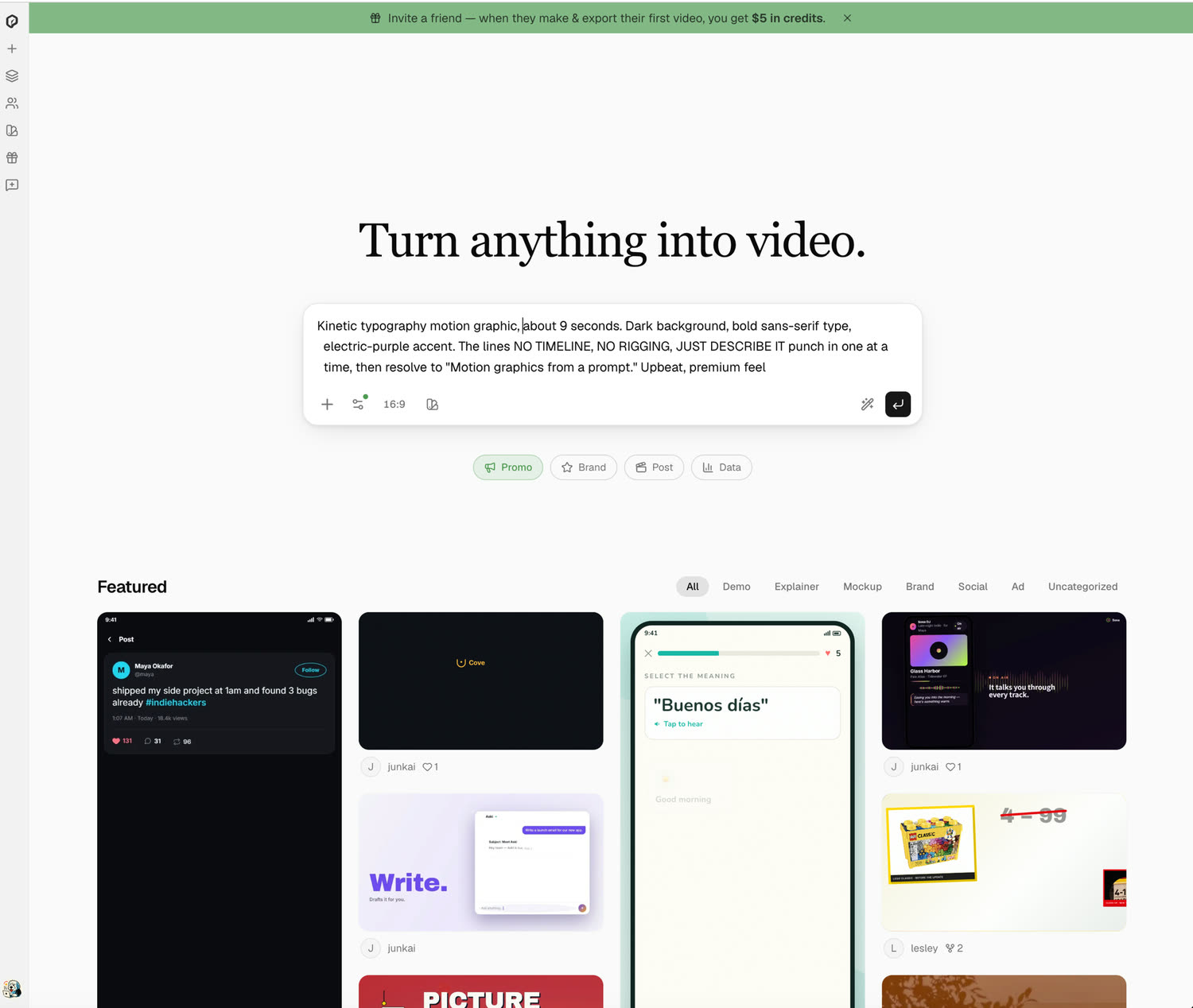
In iArt the whole interface is a prompt box: describe the motion you want, pick an aspect ratio, and generate — no timeline, no panels, no rigging.
The clip above was generated from a single prompt — no drawing, no rigging, no timeline. With iArt you can:
- Describe instead of build. "Kinetic typography, each word punches in, last word in the accent color" gets you a finished clip — not a blank canvas and a tutorial.
- Iterate in plain language. "Slower," "stagger by letter," "make it 9:16" — the AI adjusts; you never touch a keyframe.
- Finish the piece. Add AI voiceover, a music track, or your own footage, then export an MP4 for an explainer, title sequence, or social clip.
It's closer in spirit to an After Effects alternative than to Animate — built for motion graphics, driven by a prompt instead of a timeline.
Which should you use?
Be honest about the job, and the choice is clear:
- Use Adobe Animate (or a dedicated 2D tool like Toon Boom or Moho) for character animation, frame-by-frame work, and interactive HTML5 content. iArt doesn't do those.
- Use iArt when you need motion graphics — kinetic typography, explainers, animated titles, or data motion — generated from a description and exported as MP4, without the learning curve.
If Animate's maintenance-mode status has you evaluating options and your work is motion graphics rather than character animation, iArt is the fastest way to keep making it.
Make Motion Graphics Without the Timeline
Describe the animation, get an editable MP4 in minutes — no rigging, no keyframes. Free to start.
Try iArt Free →FAQ
Is Adobe Animate being discontinued?
Not anymore. Adobe initially announced an end of sale for March 2026, then reversed it after community pushback. As of 2026 Animate is in maintenance mode: still sold and supported with security and bug fixes, but no new features are being added, and there is no discontinuation date.
Can iArt replace Adobe Animate?
Only for part of what Animate does. iArt generates motion graphics — kinetic typography, explainers, animated titles — from a prompt. It does not do character animation, bone rigging, or interactive HTML5 content, so if that's your work, a dedicated 2D animation tool is the right replacement.
Do I need animation skills to use iArt?
No. Animate rewards years of practice; iArt is the opposite. You describe the animation in plain language and refine it with follow-up prompts — there is no timeline, no rigging, and no keyframing to learn.
What does iArt export, and can I add audio?
iArt exports MP4. You can add an AI voiceover and a background music track, and bring in your own footage, before exporting — though it doesn't sync animation to a song's beat the way a video editor would.
How much does iArt cost compared to Adobe Animate?
Adobe Animate runs US$22.99/month as a single app (annual plan billed monthly), or it's included in a Creative Cloud plan. iArt is free to start — every new account gets $2 in credits on signup, no credit card needed, and a single animation costs a fraction of one credit. See pricing for details.