Powtoon vs iArt: An Alternative for Motion Graphics

Powtoon vs iArt: the short version
Both make animated videos without After Effects, but they get there in opposite ways. Powtoon is a template-based studio — you pick an animated template, drop in characters, text, and stock media, and customize it. iArt is an AI motion graphics generator — you describe the animation and it generates an original piece, with no template to start from. If you want fast, on-brand business videos and presentations built from a library, Powtoon fits. If you want original motion graphics — kinetic typography, animated charts, title sequences — generated from a sentence, that's iArt.
Powtoon vs iArt at a glance
| Powtoon | iArt | |
|---|---|---|
| Primary purpose | Template-based animated videos & presentations | AI motion-graphics generator |
| How you create | Pick a template, drag in characters, text & media | Describe the animation; AI generates it |
| Best at | Business explainers, presentations, training, HR videos | Kinetic typography, animated charts, titles, motion graphics |
| Source of visuals | Template library, characters/avatars, 4M+ stock assets | Generated animation — no templates, no stock |
| Characters & avatars | Yes — a core feature | No — iArt does motion graphics, not characters |
| Free plan | Yes — 720p, 3-min cap, Powtoon watermark | Yes — $2 in credits on signup, no card |
| Paid pricing | Lite US$15/mo, Professional US$40/mo (billed yearly) | Credit-based; a single animation is a fraction of one credit |
| Output | MP4 (template-based animation) | MP4 (original motion graphics; add music, voiceover, footage) |
Powtoon plan and pricing details from Powtoon's pricing page (verified June 2026). Powtoon updates plans and credit limits often — figures reflect that date.
What Powtoon is built for
Powtoon calls itself "the Canva for Video," and that's a fair description. It's a strong tool for a specific job: helping non-designers produce on-brand business video fast.
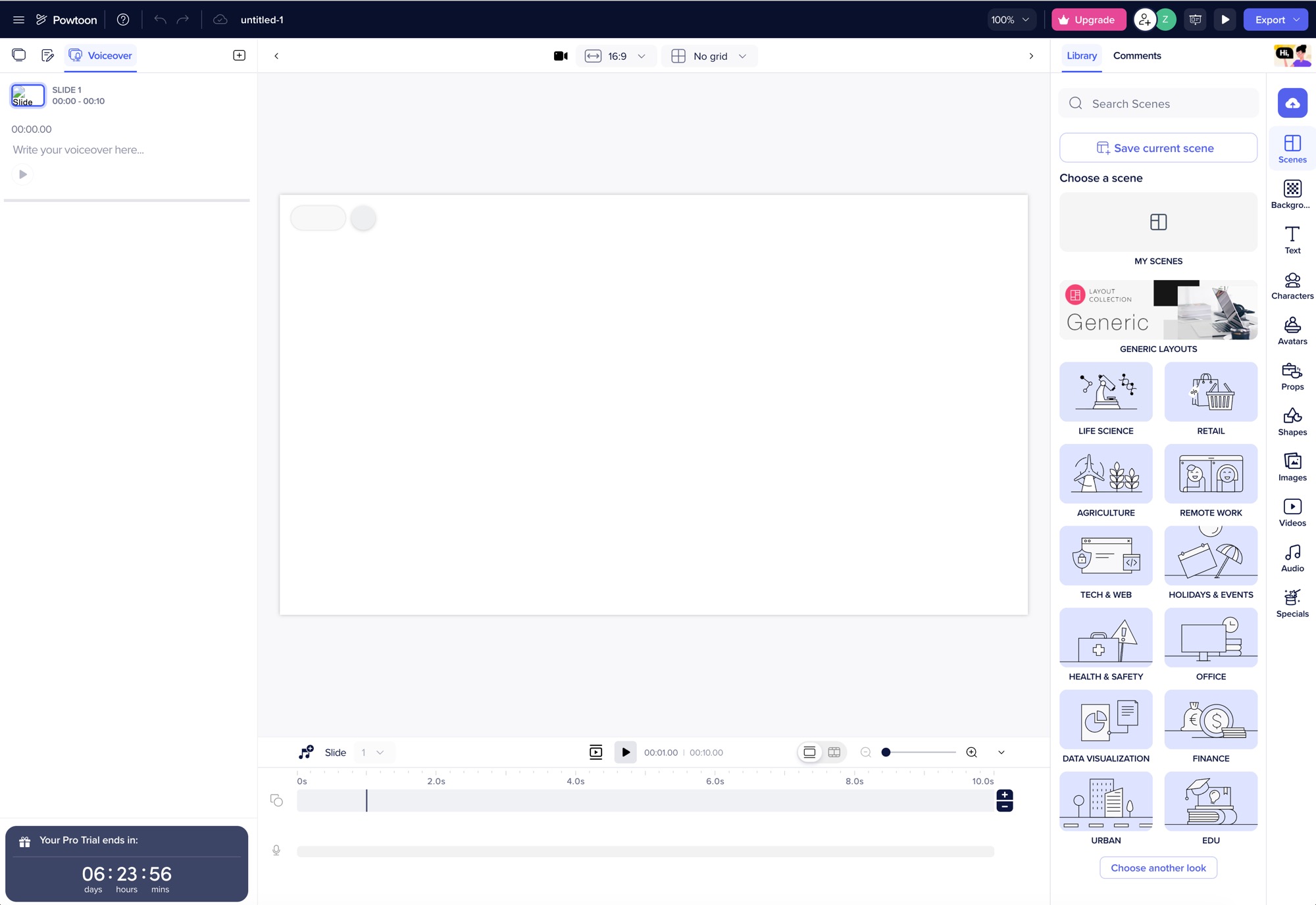
Powtoon's editor: you build from a library of scenes and templates, with characters, avatars, and props to drop in — customizing within a template rather than generating from scratch.
- Templates for every business case. Explainers, presentations, training, HR onboarding, marketing — you start from a designed template and fill it with your content rather than building from scratch.
- Characters and avatars. Animated characters and AI avatars are a Powtoon signature — useful for training and explainer scenarios where a presenter or cast carries the story. iArt doesn't do this.
- One library, no design skills. A large stock library, drag-and-drop editing, and AI helpers (text-to-video, captions, voiceover) mean a team can ship a branded video without a designer.
The trade-off is the same one every template tool carries: because you start from a shared template, the output can read as the template it came from, and you're customizing within its bounds rather than creating something original.
Where iArt fits
iArt has no template gallery. You describe the motion you want and an AI agent writes the actual animation code (timed transforms, springs, easing) and renders it to video — so the result is an original piece, shaped by your description rather than a preset.
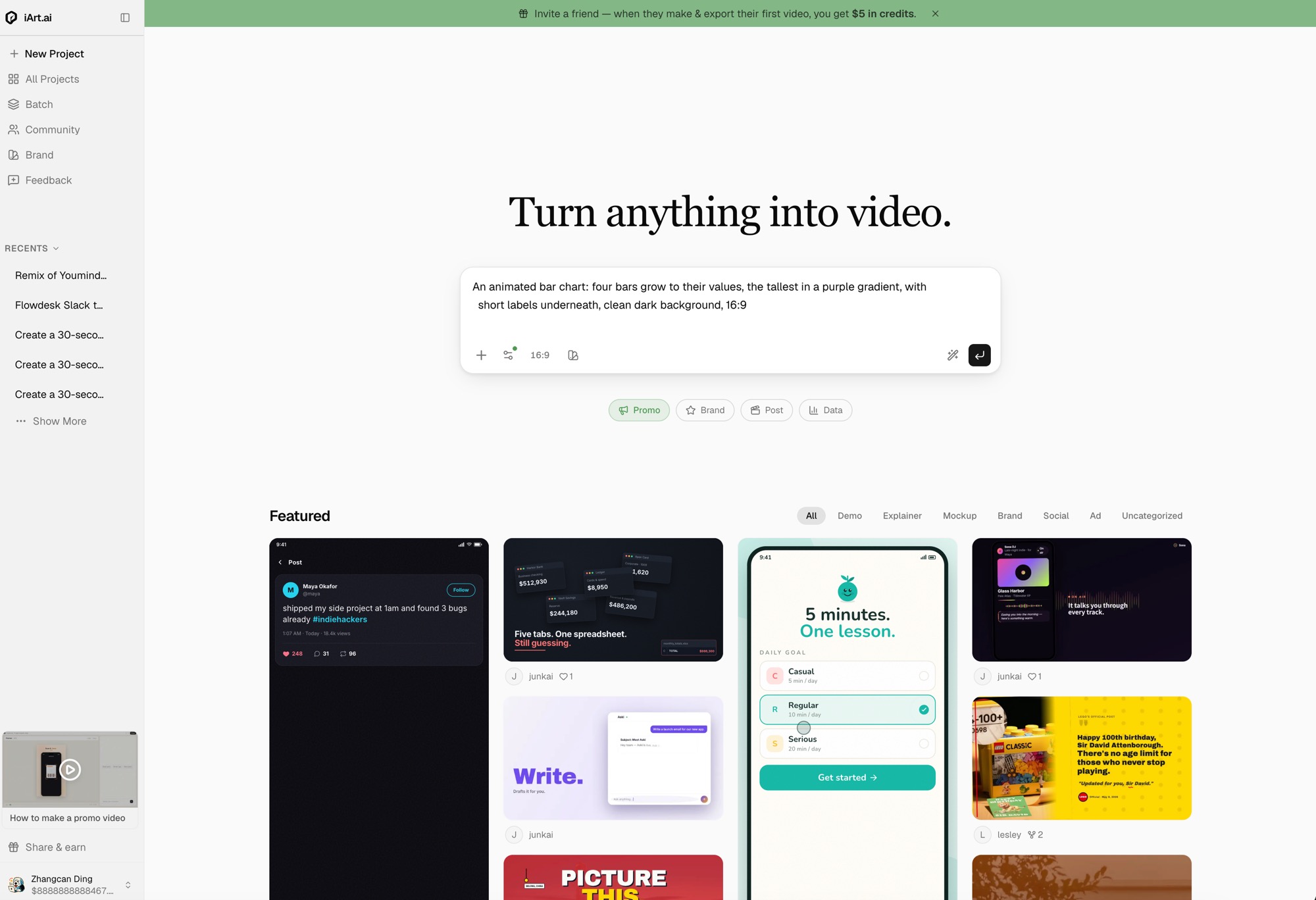
In iArt the whole interface is a prompt box: describe the motion graphic you want — here, an animated bar chart — pick an aspect ratio, and generate. No template, no scene library.
The clip above was generated from a single prompt — original motion graphics, not a template filled in.
With iArt you can:
- Generate original graphics. Kinetic typography, animated statistics, charts, logo reveals, title sequences — see our motion graphics examples for the range.
- Iterate in plain language. "Slower," "bigger number," "make it 9:16" — the AI adjusts; no template to wrestle into shape.
- Finish the piece. Add an AI voiceover or music track, or bring in your own footage, then export an MP4 for an explainer, title sequence, or social clip.
Which should you use?
- Use Powtoon when you need template-driven business video — a presentation, a training module, or an explainer with animated characters and avatars, produced fast and on-brand by a non-designer.
- Use iArt when you need original motion graphics — kinetic typography, animated charts, or title sequences — generated from a description, with no template and nothing pulled from a stock library.
They can complement each other: generate your motion-graphics segments and animated titles in iArt, and drop them into a longer Powtoon deck. iArt is closer to an After Effects alternative for motion design than to a template studio.
Make Original Motion Graphics — No Templates
Describe the animation, get an editable MP4 in minutes. No template gallery, no fill-in-the-blanks. Free to start.
Try iArt Free →FAQ
What's the difference between Powtoon and iArt?
Powtoon is a template-based studio: you start from a designed animated template and fill it with characters, text, and stock media. iArt is a generator: you describe the animation and it creates an original piece from scratch, with no template. One customizes a preset; the other generates from a prompt.
Is iArt a good Powtoon alternative?
For original motion graphics — kinetic typography, animated charts, title sequences — iArt is the better fit because nothing is template-bound. For template-driven business presentations and training videos with animated characters, Powtoon is purpose-built and iArt isn't a direct replacement. They suit different jobs.
Does iArt have templates like Powtoon?
No. iArt deliberately has no template gallery — it generates each animation from your description, so the output is original rather than a customized preset. You guide the result with prompts instead of editing a template.
Can iArt make character animations like Powtoon?
No. Animated characters and avatars are a Powtoon strength; iArt focuses on motion graphics — animated text, charts, logos, and titles — not character animation. If your video needs a cast of characters, a tool like Powtoon is the right choice.
How much does iArt cost compared to Powtoon?
Powtoon's paid plans start at US$15/month (Lite) and US$40/month (Professional), billed yearly. iArt is free to start — every new account gets $2 in credits, no card required, and a single animation costs a fraction of one credit. See pricing for details.