Latency Drop Bar Chart Prompt
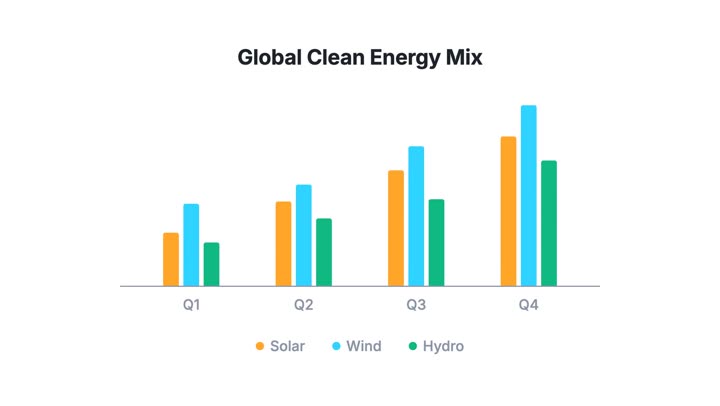
A bar chart for quarterly reviews, engineering updates and investor decks: four bars for Q1 to Q4 step down from 100% to 30% with synced counters and an arrow labelled 70% DROP. Replace the quarters, percentages and callout.
Data & infographics · 16:9 · 9s · minimal, count-up numbers, physics, data story, presentation
The prompt
Prompt · 230 words
Make an 8.5-second 16:9 animated data chart showing quarterly processing latency reduction.

Look: Minimalist light studio background with a soft radial falloff from #FFFFFF to #ECEEF1. Baseline axis at y=900px and vertical axis at x=320px in rust red #C04A3E (stroke 4px). Four capsule bars (width 100px, border radius 50px) in deep slate #1E3A5F, crimson #C53D3D, amber #E07A2B, and plum #6B4C74. Text in Space Grotesk Bold, dark charcoal #141619: percentage counters 72px, final callout text 80px.

Data: Q1 100% (720px tall) · Q2 75% (540px tall) · Q3 50% (360px tall) · Q4 30% (216px tall).

Beats:
0–1.2s: Axes draw on from origin (320, 900). First bar grows vertically from baseline to 720px height; counter ticks up to 100% directly above it.
1.2–3.4s: Second bar rises quickly, overshooting to 720px before settling down to 540px as the counter resolves to 75%.
3.4–5.4s: Third bar launches to 600px, then retracts down to 360px; counter tracks to 50%.
5.4–7.4s: Fourth bar shoots to 520px and drops to settle at 216px; counter hits 30%.
7.4–8.5s: A rust red curved arrow sweeps down from (560, 260) to (1220, 680). The 80px label "70% DROP" snaps in beside the arrowhead. Hold to end.

Rules: Draw everything at the stated pixel sizes; do not scale the scene down. Numbers must tick synchronously with bar heights. Bars 2–4 must visibly overshoot target heights by over 30% before settling.
Both films above came from this exact prompt, run once on each model. Try this prompt opens the iArt composer on DeepSeek V4.1 Flash, the lower-cost model; you can switch the model there and edit the words, colours and timings before you run it.